

If you're looking for Canva Pricing and asking how much does Canva Pro cost, you're in the right place. This post covers all of your questions about Canva Pro pricing and more so you can make an informed decision as to whether to upgrade to Canva Pro.
BY DONNA MORITZ | PUBLISHED 29 JANUARY, 2026
Posts on this blog may contain affiliate links, which means we receive a small commission at no cost to you, if you purchase through a link.
If you're here, you've probably already discovered Canva. As you might know, you can get started with Canva for free. It's an amazing, easy-to-use graphic design software platform that empowers everyone to design – even non-designers. But what if you want to use Canva for more than the basics? Canva Free has a lot of great features but Canva Pro gives you so much more. Canva Pro is ideal if you want to use Canva for work, business or professional use.
If you're one of those people that wants to jump straight in without reading, you can check out Canva Pro here on our free trial:
Get a free trial of Canva Pro using my link as a Canva Verified Expert:
Which also brings us to the important question you're asking – how much is Canva Pro?
How much is Canva Pro?
Canva has pricing tailored for every country and region in the world. It differs slightly according to different currencies and exchange rates but overall is similar in terms of cost per month or annually for each region. The most referred-to pricing is in USD. Let's compare it to some other currencies too:
The most referred to pricing is USD when looking at how much Canva Pro costs.At the time of writing this article it was $18 USD per month paid monthly or $144 per year paid annually in the US. This is a saving of approximately $72 per year. Other countries vary based on local currency.
To make things easier for you, we've included example Canva Pro fees from a selection of countries to give you an idea of local Canva pricing. It should be noted that due to many factors (not the least of which is cost of living at various locations around the world) Canva varies their pricing slightly from country to country:
| Country/Region | Canva Pro – Monthly (approximate) | Canva Pro – Annual (approximate) |
| United States | $18 per month (USD) | $144 per year (USD) – save $72/yr |
| Australia | $20 per month (AUD) | $165 per year (AUD) |
| Canada | $18 per month (CAD) | $142 per year (CAD) |
| United Kingdom | £13/month (GBP) | £100/year per user (GBP) |
| Germany | €12 (Euro) | €110 (Euro) |
| South Africa | R280–R300 per month | R2,200–R2,400 |
| Singapore | $18 per month (SGD) | $135 per month (SGD) |
| New Zealand | $20 per month (NZD) | $180 per month (NZD) |
| India | $500 INR | $4000 INR |
| Brazil | $35 BRL | $290 BRL |

How much does Canva Pro Cost – Australia?
Currently the price of Canva Pro in Australia is $20AUD per month or $165AUD per year which is a saving of $75AUD annually for Canva Pricing Australia. The Canva Pro cost (Australia) differs from the US pricing and as mentioned above, all regions have their own individual pricing. The USD can be used as a global baseline for pricing, however.
If you want to know more about advanced tiers of Canva Pricing go here for Canva Business and here for Canva Enterprise.
Save on Canva Pricing for Canva Pro
There are a variety of ways to save money or get discounts on Canva Pro. These include:
- Using a Canva Pro Free Trial – if you want to jump straight in, get a free trial of Canva Pro here.
- Opt for Annual Billing – by all means check out Canva Pro on the free trial for 30 days, or even try monthly payments for a while until you are sure. But as soon as possible – when you know you love Canva – switch to annual billing. You'll save money vs monthly billing with an annual discount. Currently this is a saving of $72 USD per year ($144 vs $18 per month)
- Keep an eye out for promos – we offer promos from time to time as our lead creative, Donna Moritz is a Canva Verified Expert.
- Access Canva Pro via a legitimate Nonprofit or Education account – if this is an option for you, and you are able to apply for a Nonprofit account or Education account, then go for it! These accounts include all of the Canva Pro features and more. Find out more about them here (click to read the article):
- Save by Ditching other Software – This tip is less of a Canva Pricing Tip and more a way to save in order to be able to afford the annual Canva Pro amount. You can actually save a lot of money on other tools by using Canva Pro and reducing your tech stack. You can literally ditch other software that gives you features provided in Canva Pro (like whiteboard, presentation, AI and social media scheduling software). For example you can:
- ditch basic use of CHAT GPT for Magic Write in Canva,
- ditch Miro for Canva Whiteboards,
- ditch Photoshop for Canva Photo Editing Tools and
- ditch Powerpoint for Canva Presentations! … and so many more when you switch to Canva Pro.
What about Canva Pro Lite?
We have had quite a few questions about Canva Pro Lite. Please note this is a relatively new plan being trialled in a small number of countries (namely India, Indonesia, the Philippines, Thailand and Vietnam at present). It is not available globally but as we have a large community from some of these countries following Socially Sorted, we have been fielding a lot of enquiries. Canva Pro Lite is positioned between the free subscription and Canva Pro. A few things to note about this plan:
- it is a market-specific offering intended to provide a more affordable premium option.
- Availability varies by country, and users in markets where it has not launched will not currently see the plan.
- It's aim is to give users access to millions of premium templates, elements (photos, videos and graphics) and essential design features at a more affordable price than the standard Canva Pro tier. As such it's designed for budget-conscious creators around the world and is being rolled out to select regions at present (currently Asian countries).
- It's designed for simple, everyday creative tasks at an affordable price point, rather than advanced workflows or premium AI powered experiences. AI limit in Pro Lite is equivalent to Canva Free.
- It includes access to premium assets, basic brand features (3 brand kits), export-ready print options in CMYK, access to Social Content Planner, Access to Basic AI tools (similar to the free plan) and Better storage than the free plan (but less than Pro).
You can check your Canva account to see if you have access to Canva Pro Lite. It won't show as an option to upgrade from the free plan if you do not have it rolled out in your region.
Leveling up to Canva Pro
If you're asking “How much is Canva Pro?” chances are you've already considered the reasons for upgrading. But let's cover them quickly just in case:
What's in Canva Free?
Canva Free gives you access to a large range of basic templates, essential design tools, a range of elements and stock photos/video/audio and basic AI tools. It's perfect for beginner or personal users of Canva. Canva Free is limited by:
- Limited Cloud Storage (5GB) compared to Canva Pro (100GB)
- Restricted use of AI tools and resources. Some of the more advanced AI tools like Background Remover or a range of photo editing AI tools are not included in Canva Free. You also get less access to tools with credits.
- Brand Kits are limited – you can only create one Brand Kit and you're limited in how you can add content to it (ie limited colors only).
- Limited Access to Premium Assets – while you get access to templates, photos, videos, audio and graphics in Canva Free, it's very limited compared to Canva Pro.
What are the benefits of Canva Pro?
Here's a quick comparison of Canva Free vs Canva Pro in 2026:
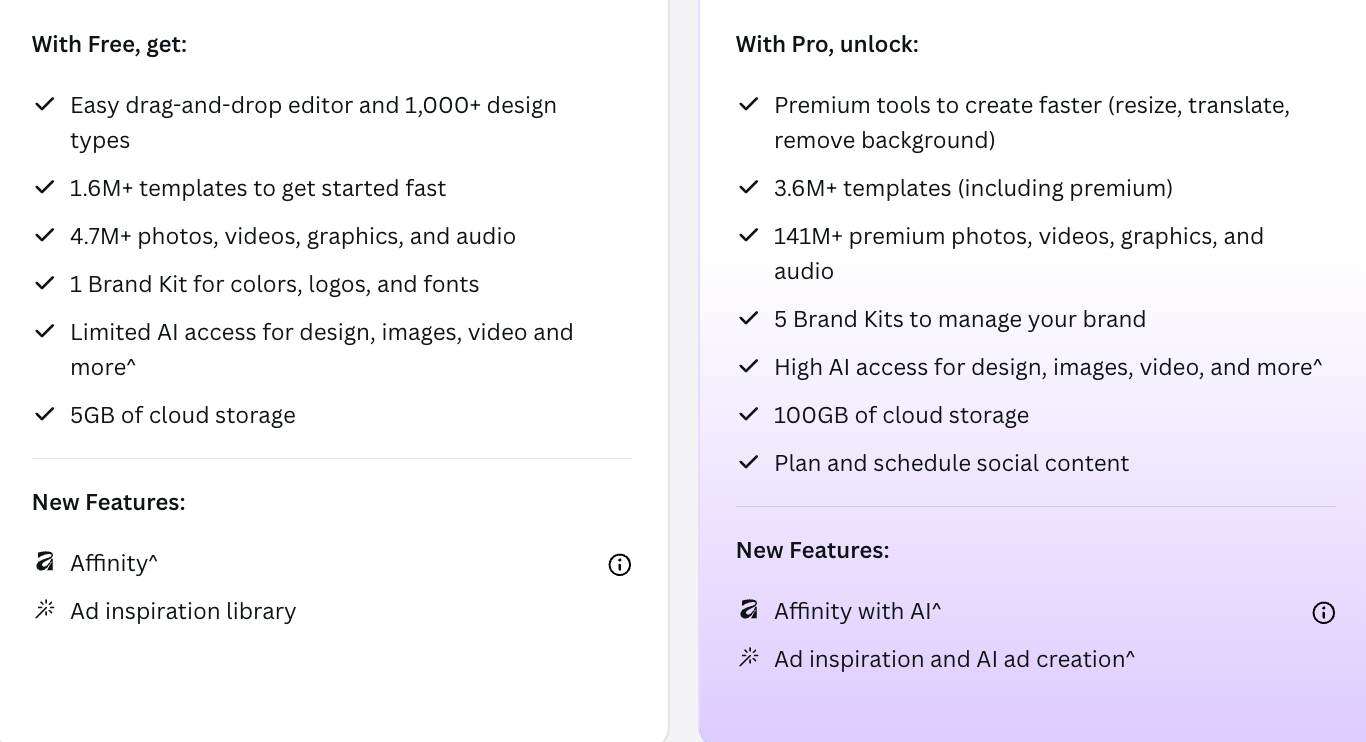
As you can see, there are many additional features in Canva Pro. These include:
- Access to all Canva Premium Templates.
- Full access to Canva's Premium Media Library (including all photos, videos, audio, graphics and illustrations).
- Advanced AI Tools (the entire collection of AI features including all image and video editing tools and more!).
- Premium Canva Video Editing tools including video background remover.
- Canva Brand Features – create up to 5 Brand Kits and create your own Brand Templates. Brand Kits are expanded to include logos, fonts, colors, graphics and more!
- Greater Storage (100GB vs just 5GB on the Free plan).
- More Export Options – you're not just limited to JPGs in Canva Pro. From high quality PDFs to SVGs and PNG with transparent backgrounds.. you can do more with Canva Pro.
- Social Media Content Planner – plan, create and schedule your social media content from within Canva!
- Faster Priority Support – got a problem? Email or chat with the Support team to fix the problem!
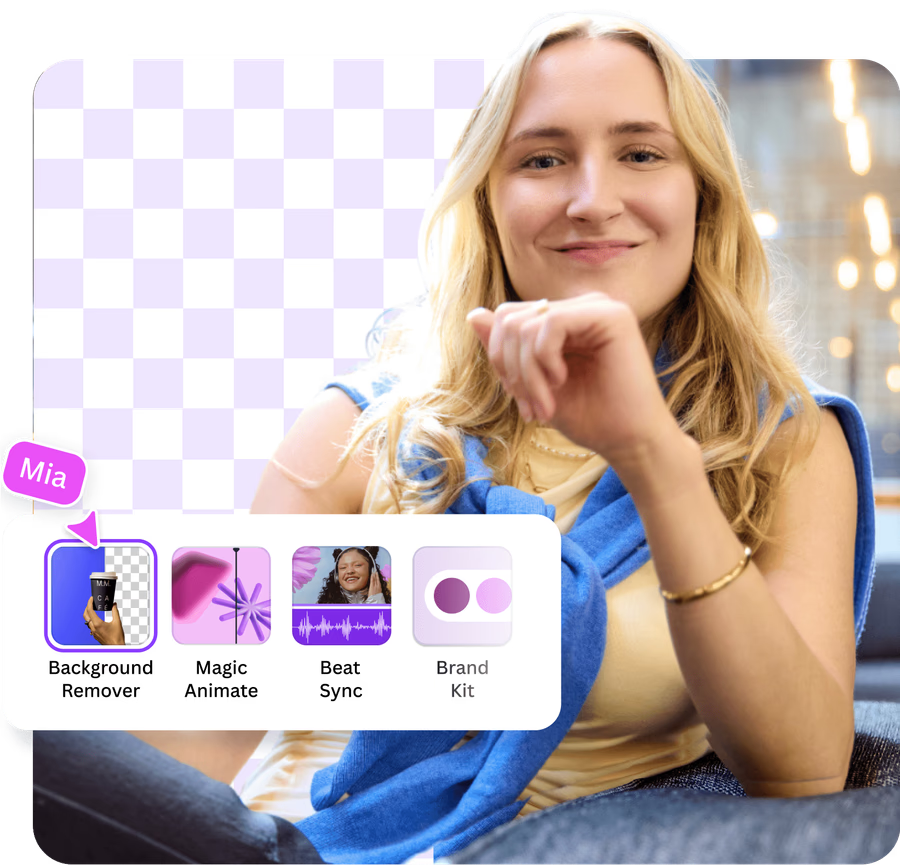
Ready to take Canva Pro for a spin? Try it for 30 days on my free trial:
Still not sure? Take a deeper dive into all the Canva Pro features in this post, where I break down all the benefits:

Canva Pro can skyrocket your productivity and creativity by giving you all the tools you need at your fingertips. Even if you don't have any design skills, Canva Pro will step in as the newest member of your team to help you create amazing visuals. You'll take back hours every week by leveraging Canva's unique set of tools in the visual suite coupled with AI time-saving features.
Access the entire Visual Suite with Canva Pro:
Don't forget that Canva Pro gives you full access to all the tools in the Canva Visual Suite – a range of design and collaborative tools and systems in one platform to help you do your best visual work. Canva's Visual Suite includes:
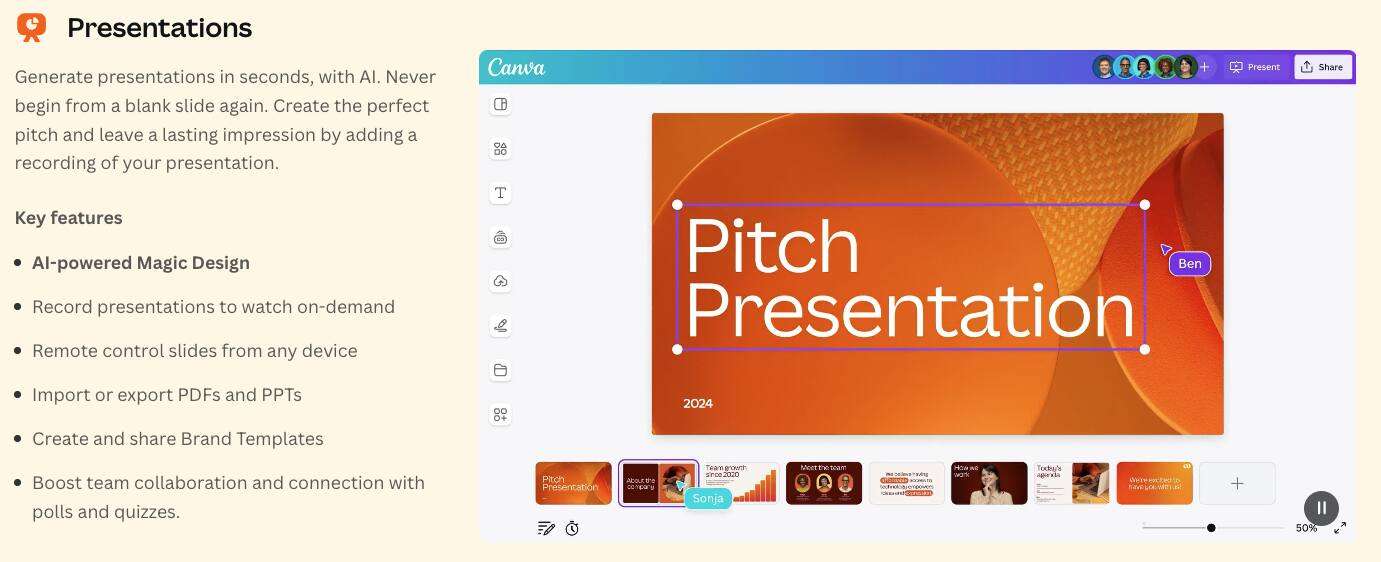
Presentations – ditch Powerpoint and use Canva's engaging presentations, or even record your presentation and go live straight from Canva. With Canva Pro you get all premium presentations and premium AI features to create presentations.
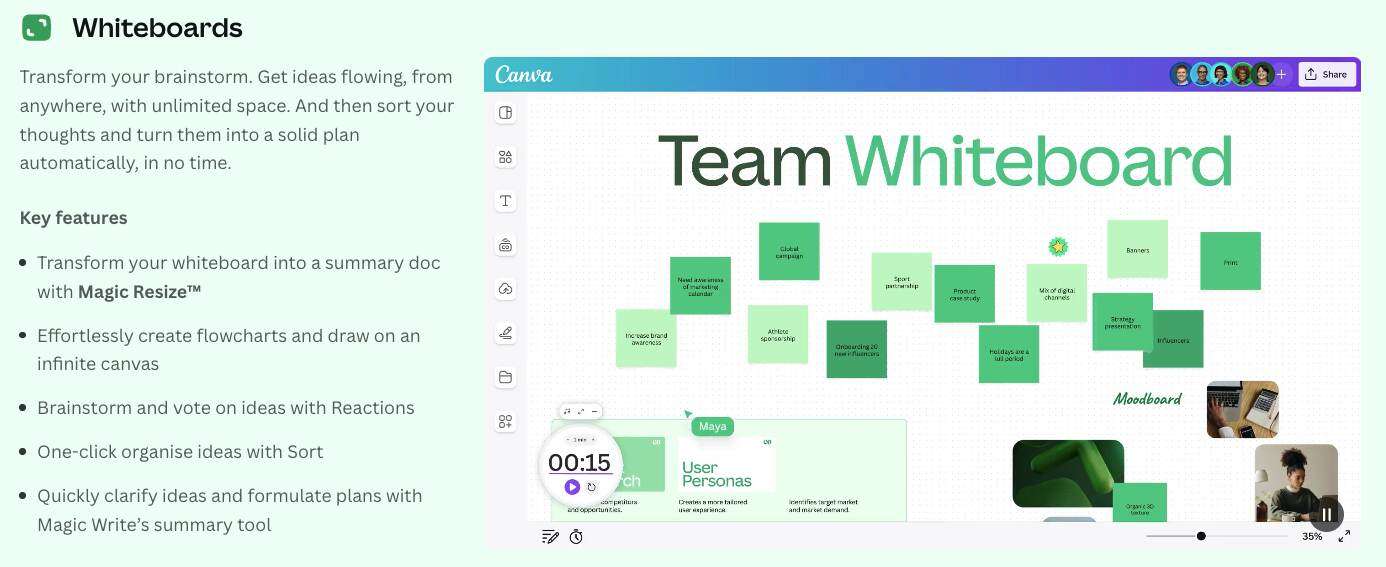
Whiteboards – take your ideas or brainstorm as a team and transform them in an unlimited space. Then turn them into a doc or presentation in one click.
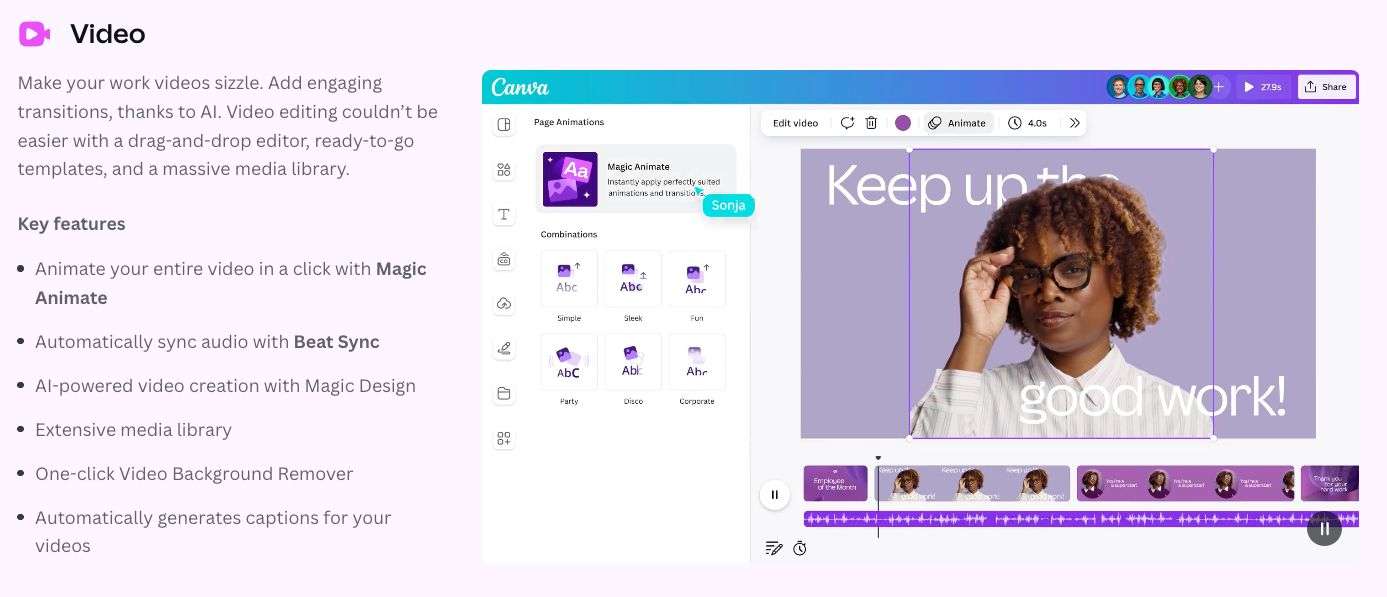
Video – create amazing animated videos using Canva's drag-and-drop editor and ready to go templates! Canva Pro gives you all the premium video templates and advanced AI video editing features.
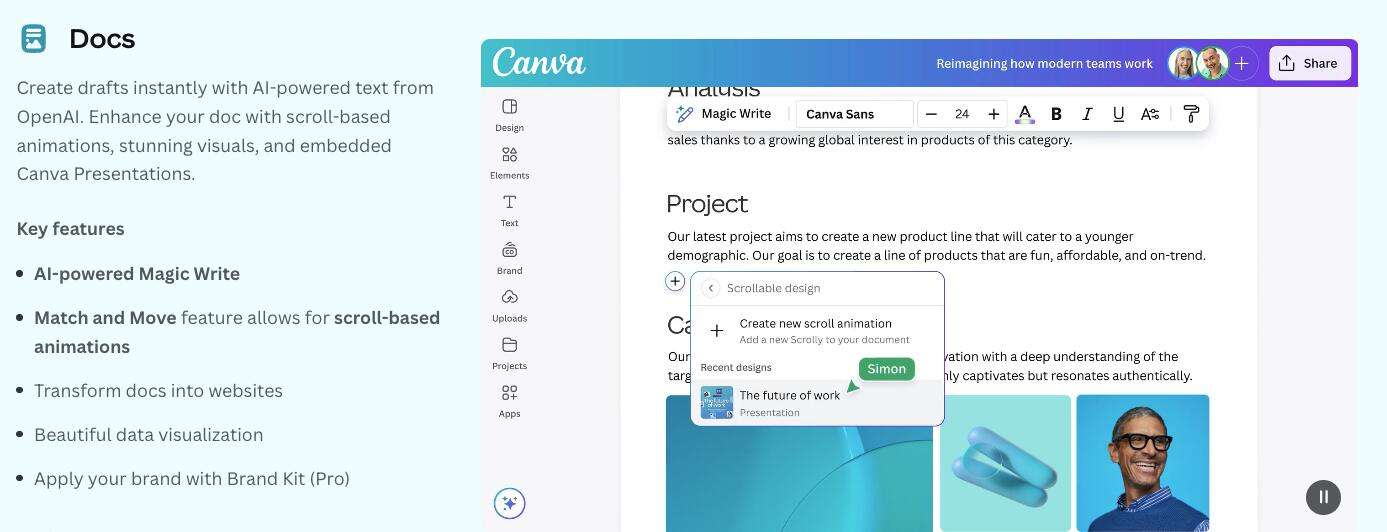
Docs – transform drafts into a digital-first doc to share with your team including images, animations and charts.
Social – Canva's social templates let you create scroll-stopping posts, videos and stories for any platform. With Canva Pro you can create with premium templates and the full library of features with Canva Pro – and schedule to your favorite platform with the Content Planner.
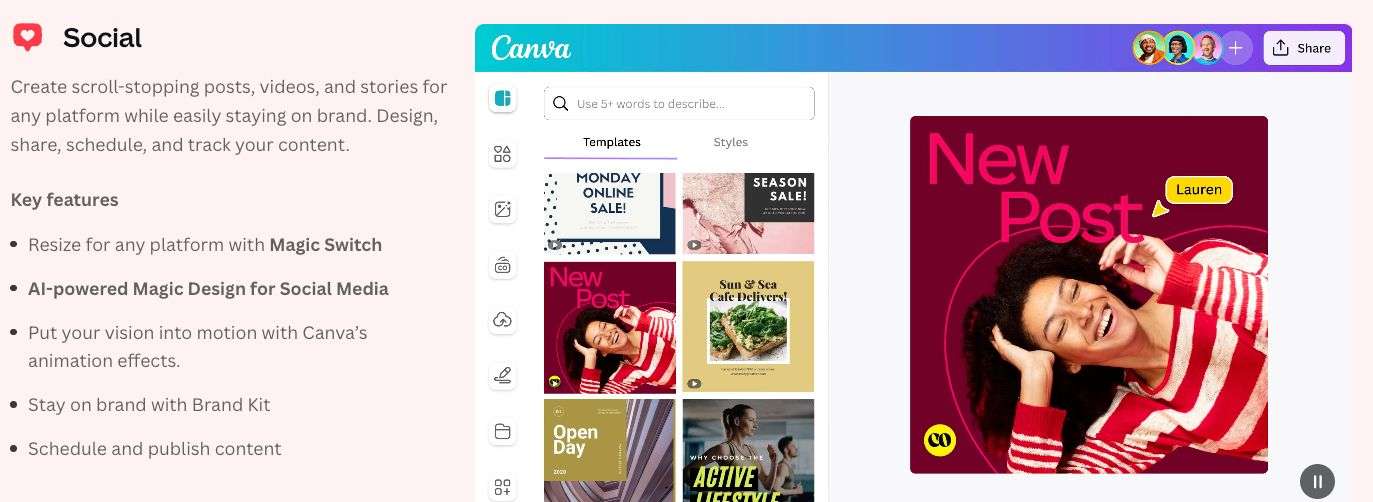
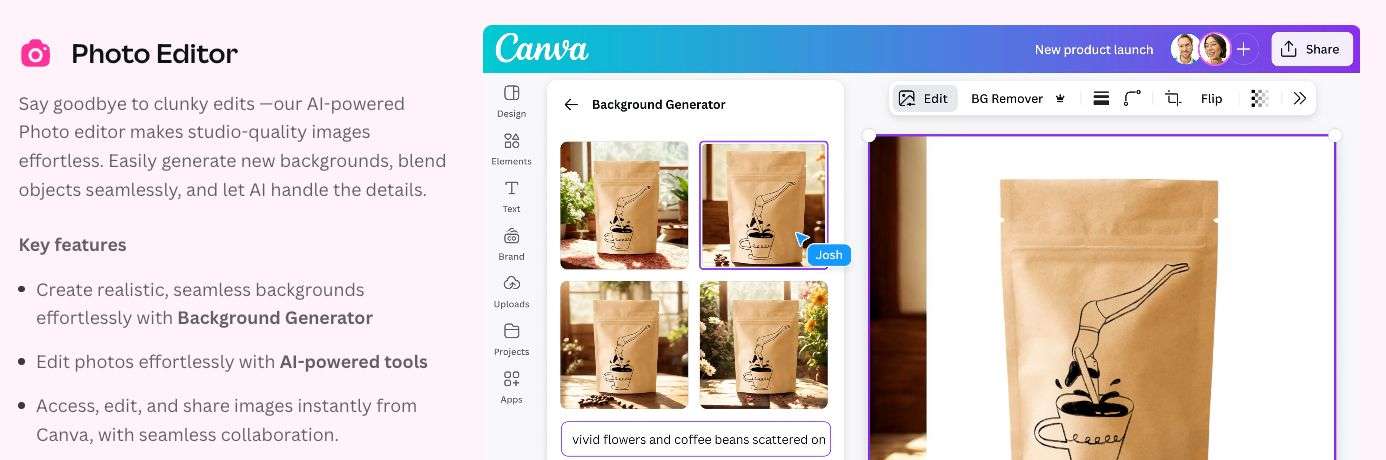
Photo Editor – ditch Photoshop and use Canva's AI-powered photo editing tools. Canva Pro gives you full access to all of them, from Background Generator to Background Remover. Canva Pro includes all of the premium AI editing tools.
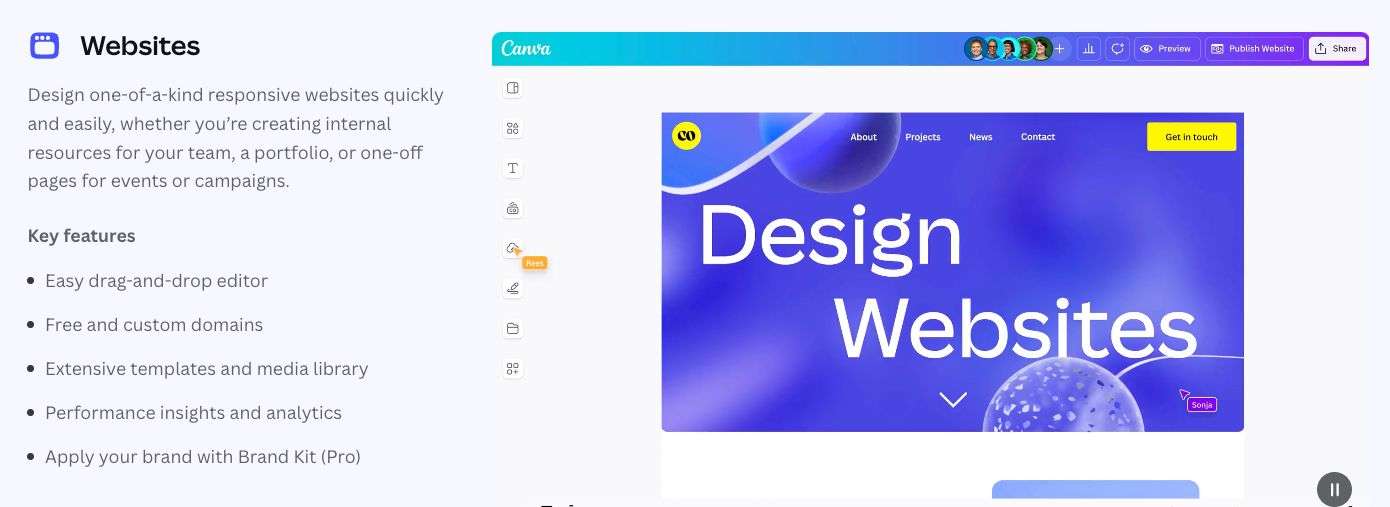
Websites – design engaging simple websites and landing pages or even internal resources …or your latest portfolio!
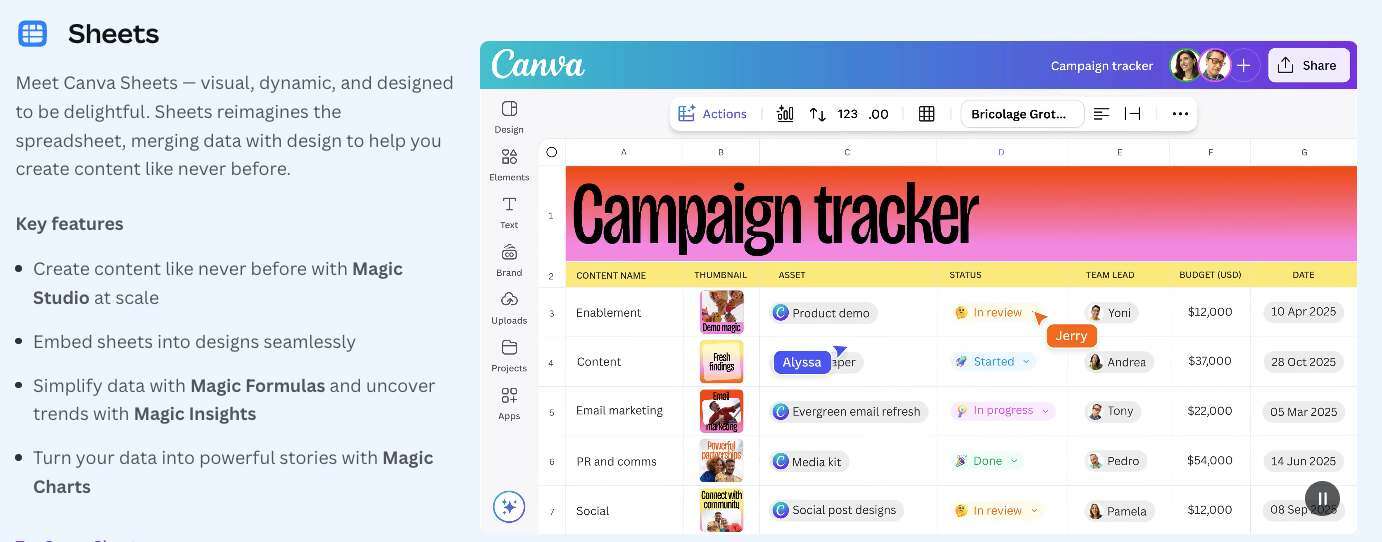
Sheets – no more boring excel spreadsheets. Canva Sheets are visual, dynamic and merge data with design. Plus you can use bulk create to create visuals with data, a feature only in Canva Pro.
Email – No more boring email messages. Canva Email includes hundreds of templates to export in HTML to any platform and give inboxes a glow-up! Access premium email templates with Canva Pro.

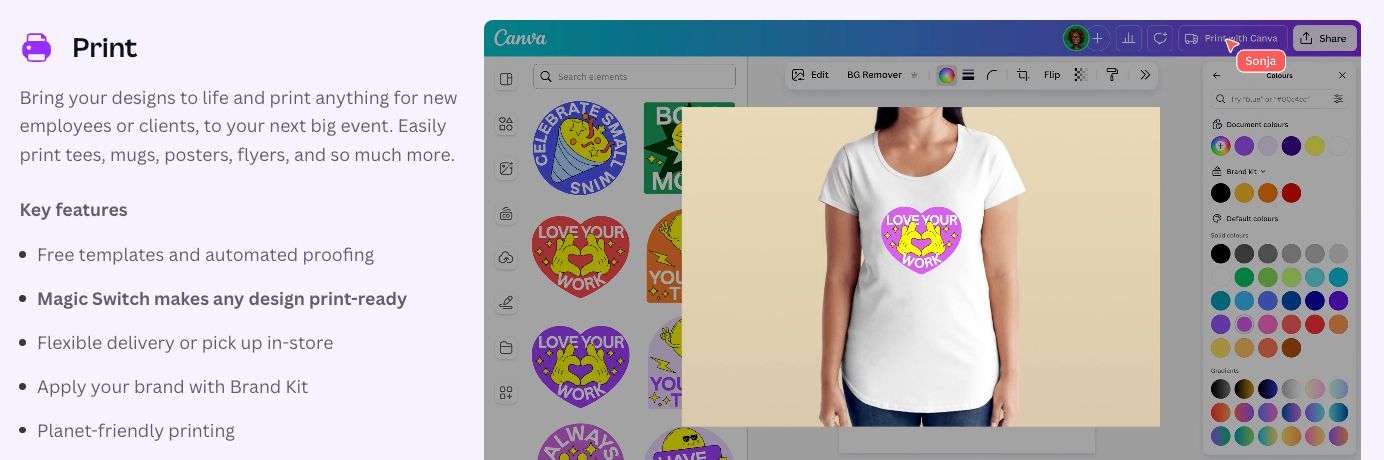
Print – print straight from Canva locally to order everything from Tshirts to mugs to posters to flyers to stickers! With Canva Pro you can use high-quality print-ready formats for print products that need perfect pixels (like posters and brochures).
That's a lot of features right? It's worth upgrading to Canva Pro to get your hands on all of them, that's for sure!
Do you know what we think the best thing about Canva Pro is? It's that when you're in Canva you can use everything without restriction. Every tool, feature and asset….. the whole kitchen sink for an affordable annual price. We believe it's the best team member on your marketing team!
But what about Canva Pro Lifetime Accounts?
We get asked this all the time. Before we go any further, just don't. No. Nien. Nada. Nope. Don't listen to these offers. Ignore anything that mentions Canva Pro Lifetime Accounts. They don't exist. They are not real. Any ad or invitation you see to join a lifetime Canva Pro account for free is a scam.
Lifetime accounts don't exist in Canva. Period.
Look, we get it. It's tempting to grab a bargain like this, right? But again, it's a scam. Most of the shoddy operators advertising these types of accounts are doing so via an illegally-accessed “team”. Usually they gain access to an education account and then “sell” cheap team seats to that account. The reality is that you are not really an owner of your account in this scenario and as soon as Canva shuts down the team (which they will!) you will lose all of your content.
In short, don't do it. Just don't. The good news is you can access Canva Pro the legitimate way with a free trial or one of the other approved methods we mention above.
Ready to take Canva Pro for a spin? Try it for 30 days on my free trial:
Ready to Leverage Canva Pro?
Hopefully we've answered the question “How much is Canva Pro” with bonus information and tips that will help you decide if upgrading to Canva Pro is for you! If you're publishing regular visual content for work, business or professional use, it's an amazing platform to create visuals with all of your design, scheduling, collaboration and publishing tools in one place.
We can't wait to see what you create with Canva Pro!

Donna Moritz


